
Addons Mods for Melon Sandbox
CP PublisherLibraries & Demo
2.921.00 Reviews
- Version
- 1.0.13
- Installs
- 50.00K
- Age Rating
- Everyone
Screenshots
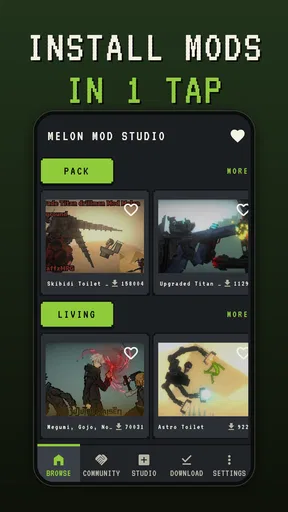
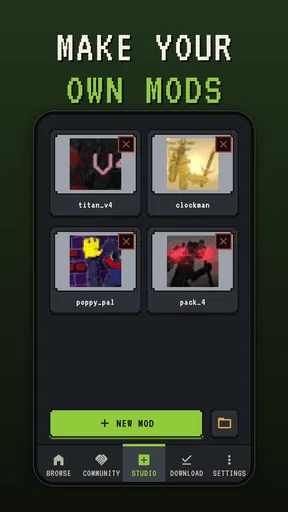
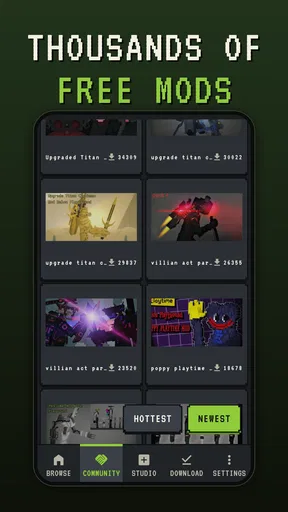
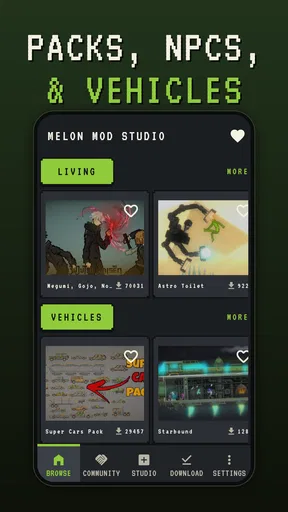
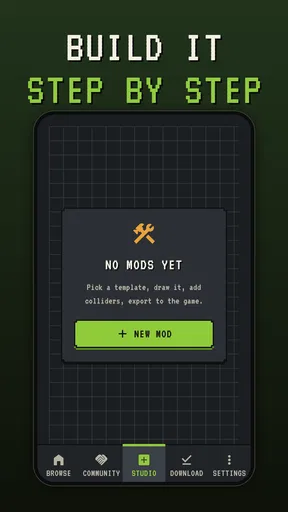
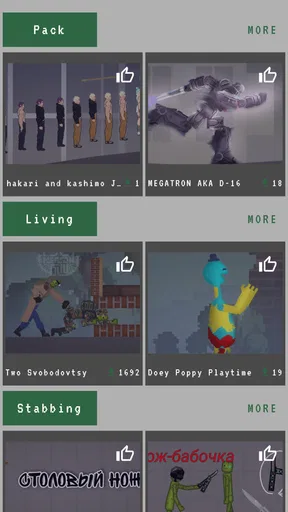
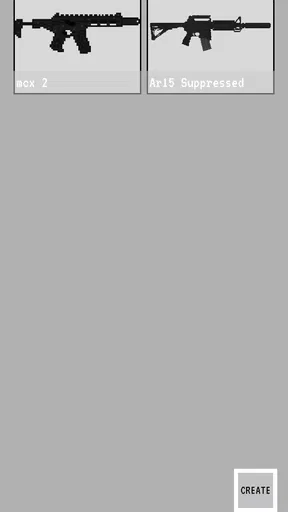

Our Review of Addons Mods for Melon Sandbox
 Analysis by Appyee
Addons Mods for Melon Sandbox is a free Android app from CP Publisher aimed at people who want to explore extra material connected with Melon Sandbox. I approached it as a companion-style download rather than as the sandbox game itself, and that distinction matters from the first launch. Its store short description is simply “Melon Sandbox,” while the longer wording presents it as a place to look for fun mods. In practical terms, I would treat it as a library and demonstration app for browsing mod-related content, not as a replacement for the main game.
That positioning makes the app easy to understand, but it also sets a limit on what I expect from it. If you already enjoy experimenting in Melon Sandbox and want another place to discover add-on ideas, it may be useful. If you are looking for a complete physics playground with all the controls, objects, and creative tools built in, this is not the right download by itself. I found that separating those two expectations is the key to judging the experience fairly.
How the app feels during ordinary use
Because this is listed under Libraries & Demo, I judge it mainly by how quickly it gets me to relevant material and how clearly it helps me decide what is worth trying. A good companion app in this space should feel light during casual browsing: open it, understand what it offers, inspect an item, and move on without unnecessary confusion. That is the standard I used while considering its speed and day-to-day practicality.
The first useful habit is to avoid treating every visible mod as something that must be installed immediately. I would browse with a purpose instead: look for a particular type of object, a fresh scenario idea, or something that could make an existing sandbox experiment more interesting. This keeps the app from becoming a random scrolling session and makes the library aspect more valuable. It also helps conserve attention on a smaller phone, where repeatedly jumping between an add-on catalog and the main game can become tiring.
In my experience, the perceived speed of an app like this depends less on dramatic animation and more on how much work is happening around each item. A clean browsing rhythm feels faster than a crowded screen, even when the actual loading time is similar. I would therefore use it in short sessions when I want inspiration, then return to Melon Sandbox to test one idea at a time. That workflow is more efficient than collecting a large pile of possibilities and forgetting why I saved them.
The most practical performance tip is to separate discovery from experimentation. Browse first, choose a small number of promising additions, and only then move into the sandbox. This reduces repeated switching and makes it easier to notice whether a problem comes from the companion app or from the content being used in the game. It is a simple routine, but it gives the app a clearer role and makes the overall experience feel less scattered.
What happens when browsing becomes heavier
Light browsing is one thing; a longer session with many previews, repeated page changes, or frequent movement between apps is another. On an older phone, those habits can feel more demanding than opening the app once and checking a single item. I would not assume that every device will handle extended browsing in exactly the same way, especially when storage is already tight or several other apps are active in the background.
My advice is to keep the session focused. If I am planning a particular Melon Sandbox scene, I look for material that supports that scene instead of opening everything out of curiosity. This is not just about speed. It reduces the chance of losing track of which add-on I intended to test and avoids turning the library into a source of clutter. For younger users, it also creates a safer and more understandable routine: choose, inspect, then ask before adding anything unfamiliar.
There is another trade-off with mod-focused tools: the most interesting material is not always the most convenient material. An add-on may look appealing in a preview but require extra steps in the main game, or it may not suit the kind of experiment I had in mind. I would rather test one addition carefully than load several at once and then struggle to identify which one changed the result. That approach is especially helpful when trying to keep the sandbox stable and easy to troubleshoot.
A realistic everyday scenario would be a short evening session after school or work. I might open the library to find an idea for a vehicle crash test or a character setup, inspect a few possibilities, and then close the catalog before opening Melon Sandbox. If the chosen addition works as expected, I continue experimenting. If it does not, I remove that variable and return to the basic game. The app is most useful in this role as a starting point, not as something I need running continuously.
Stability and recovering from a bad session
Reliability here is not only about whether the app opens. It is also about how easy it is to recover when browsing becomes confusing, an item does not behave as expected, or the connection between the library and the main game feels unclear. My preferred recovery method is deliberately conservative: close the current screen, reopen the app, and test the smallest possible change in Melon Sandbox. That gives me a clean reference point instead of changing several things at once.
I would also keep track of the last addition I tried, particularly during a long creative session. A quick note in my head—or a simple written reminder—can save time when something later looks different. This is a non-obvious advantage of a careful workflow: it turns troubleshooting from guesswork into comparison. If the base game behaves normally before an addition and differently afterward, I have a much better starting point for deciding what to undo.
The app’s current version is 1.0.7, and it was released on February 12, 2025. I mention that because version awareness is useful when judging a relatively new utility. If something feels inconsistent, I would first make sure I am using the current version available on my device and then restart before drawing a conclusion. That does not guarantee perfect behavior, but it prevents a temporary loading issue from becoming an unfair verdict about the whole app.
There is also a practical distinction between a catalog problem and a game problem. If the library opens but the selected material does not work inside Melon Sandbox, I would not immediately blame the browsing app. I would check the handoff, the chosen item, and the way the main game handles outside content. Keeping those possibilities separate is important because a companion app cannot control every part of another application’s behavior.
Older phones, storage, and everyday constraints
The minimum operating-system requirement is Android 7.0, which makes the app accessible to a broad range of Android devices. That does not mean every phone will feel equally comfortable. A device that meets the software requirement may still have limited free storage, modest memory, or a screen that makes detailed browsing less pleasant. I would reserve some space before collecting anything and avoid filling the phone with additions I have not actually tested.
Storage management is one of the most useful habits for this kind of app. Instead of treating every discovery as permanent, I would keep only the items that support an active project. For example, if I am building a small destruction experiment, I might retain the additions that improve that particular setup and remove unrelated material afterward. This keeps the main game easier to organize and makes it simpler to identify the source of a problem.
On a smaller display, reading and selecting content may require more patience than on a tablet. I would use the app in a quiet setting rather than while multitasking, especially if I am trying to distinguish between similar entries. A phone with limited memory may also benefit from closing other demanding apps first. These are ordinary device-management steps, but they matter more when the app is used as part of a two-app creative workflow.
The Everyone content rating is reassuring for households that want an accessible starting point, but I would still guide younger users through the process. The rating describes the app’s general audience; it does not remove the need to understand what an add-on does before using it in the main game. Parents may also prefer to decide which downloads are appropriate and how much time is spent browsing rather than experimenting.
Who will get the most from it
I see the strongest fit for Melon Sandbox players who already know what they want to experiment with. The app can serve as a discovery stop before a creative session, particularly for someone who enjoys changing scenarios and looking for new ways to use the sandbox. It may also suit a curious beginner who wants to understand the wider mod ecosystem, provided that beginner is comfortable learning through trial and keeping expectations realistic.
It is less suitable for someone who wants a polished, self-contained game experience immediately after installation. The app does not replace the core sandbox, and I would not choose it as my only download if my goal were simply to build scenes, manipulate objects, and play without leaving one application. In that situation, the usual alternative—the official Melon Sandbox experience itself—is the more direct choice.
I would also skip it if I dislike managing extra content. Mod libraries are inherently more hands-on than a fixed game: I need to decide what to try, remember what I changed, and sometimes undo an experiment. Players who prefer predictable controls and a consistent set of built-in material may find the extra browsing unnecessary. The app is for people who enjoy the process of expanding possibilities, not just the final result.
Compared with a general file-sharing page or an informal search through unrelated websites, a dedicated app is more convenient because it keeps the discovery process centered on Melon Sandbox. Compared with the official game, however, it is less complete because its purpose is supportive rather than foundational. That is the central trade-off: it can broaden the ideas available to a player, but it adds another step to the workflow.
Value, audience, and the developer’s approach
There is no purchase price, so the main cost is time, attention, and whatever device space is used while exploring. For a free library-style app, that can be a fair exchange if it helps me find an addition I genuinely want to test. The value drops quickly if I spend more time sorting through possibilities than actually enjoying them in the sandbox. I would judge it by whether it improves my next creative session, not by how much material I can collect.
CP Publisher presents the app as a way to find fun mod-related material, and the straightforward concept is easy to grasp. The modest public reception—an average of 2.9 from roughly 192 ratings and 19 written reviews—suggests that I should approach it with measured expectations rather than assume it will suit everyone. It has passed the threshold of visibility with more than 50 thousand installs, but popularity alone does not tell me whether its workflow matches my needs.
That mixed rating is useful context for a potential user. I would not install it expecting a flawless, highly polished replacement for the game. I would install it as a free experiment, spend a short session learning how it fits into my routine, and keep it only if it consistently helps me discover worthwhile content. This trial-based approach is especially sensible for users with older devices or limited storage.
One of the better ways to judge it is to start with a single project rather than browse without a plan. Choose a theme, find one relevant addition, test it in the main game, and then decide whether the library deserves a regular place in the routine. That method reveals its real usefulness much faster than counting downloads or collecting every appealing preview.
My final performance verdict
After weighing speed expectations, heavy-use habits, recovery, and device limits, I see Addons Mods for Melon Sandbox as a lightweight companion concept with a specific audience. Its best role is helping an existing player discover ideas before returning to the sandbox. It is not the right choice for someone seeking the complete game in one package, and it should not be judged as though it were trying to provide that.
I appreciate that it is free, rated for Everyone, and compatible with Android versions reaching back to 7.0. Those details make it approachable, but they do not remove the need for sensible storage management or careful testing. My strongest recommendation is to use it selectively: browse with a goal, test additions one at a time, and close the app when the discovery phase is finished.
For a friend who already enjoys Melon Sandbox, I would say it is worth a cautious try, especially if finding new mod ideas is part of the fun. I would not promise a smooth experience for every phone or every browsing style, and the average rating gives me reason to keep expectations moderate. Still, when used as a focused library rather than a replacement game, Addons Mods for Melon Sandbox can have a useful place in a creative Android setup.
Verdict
Strengths of Addons Mods for Melon Sandbox
- Large collection of community-made addons, items, vehicles, and characters.
- Simple browsing makes it easy to find mods by category or popularity.
- Regular content updates can keep the available selection feeling fresh.
- Addon previews help you decide what to download before installing.
- Useful for expanding Melon Sandbox beyond its standard content.
Limitations of Addons Mods for Melon Sandbox
- Some addons may be outdated or stop working after a game update.
- Quality and compatibility can vary significantly between different creators.
- Download links may include ads or redirects before reaching the file.
- Certain mods may require extra steps to import into the game.
- Unofficial addons can occasionally cause crashes or unexpected glitches.
Similar Picks in This Category
View All
PGT: GFX, Launcher & Optimizer
Trilokia Inc.4.5

AusweisApp Bund
Governikus Service GmbH3.7

Cardboard
Google LLC3.2

Gamers GLTool with Game Tuner
Trilokia Inc.4.5

Multi Web Chat - Read Secretly
World Scan & Cleaner3.8

App Cloner Premium & Add-ons
App Listo1.9
Frequently Asked Questions
What is Addons Mods for Melon Sandbox?
Addons Mods for Melon Sandbox is a companion app that gathers downloadable content designed to expand the sandbox game with new items, characters, vehicles, maps, weapons, and other creative elements. After browsing the available categories, users can choose an addon and follow the provided installation instructions. The app itself is not the game; Melon Sandbox must usually be installed separately for the content to be useful.
How do I install addons or mods from the app?
Installation can vary depending on the addon, your device, and the version of Melon Sandbox you are using. In general, you select a mod, download its file, and place or import it through the game’s supported content or addon folder. Carefully read the instructions shown for each item, because some downloads may require manual file management. Always back up existing game data before installing unfamiliar content.
Is Addons Mods for Melon Sandbox safe to use?
The app can be useful for discovering community-made content, but safety depends on the individual files and the source hosting them. Before downloading, review permissions, avoid suspicious links, and use a reputable mobile security tool if available. Do not provide unnecessary personal information, and remember that unofficial mods may contain bugs, advertisements, or files that are incompatible with your device or game version.
Does the app work on both Android and iPhone?
Compatibility depends on the specific version of Addons Mods for Melon Sandbox and how each platform handles downloaded game content. Android devices generally offer more flexibility for managing addon files, while iPhone and iPad restrictions may limit direct access to folders or require a supported import method. Check the store listing, device requirements, and installation notes before downloading to confirm that your platform is supported.
Are all addons free, and do they work with every version of Melon Sandbox?
Many addons are presented as free downloads, but the app may include advertising, optional purchases, or links to external pages. Availability can change, and not every mod is guaranteed to work with every release of Melon Sandbox. Updates to the game may also break older content. Check the addon description, required version, file format, and recent user feedback before installing anything.
